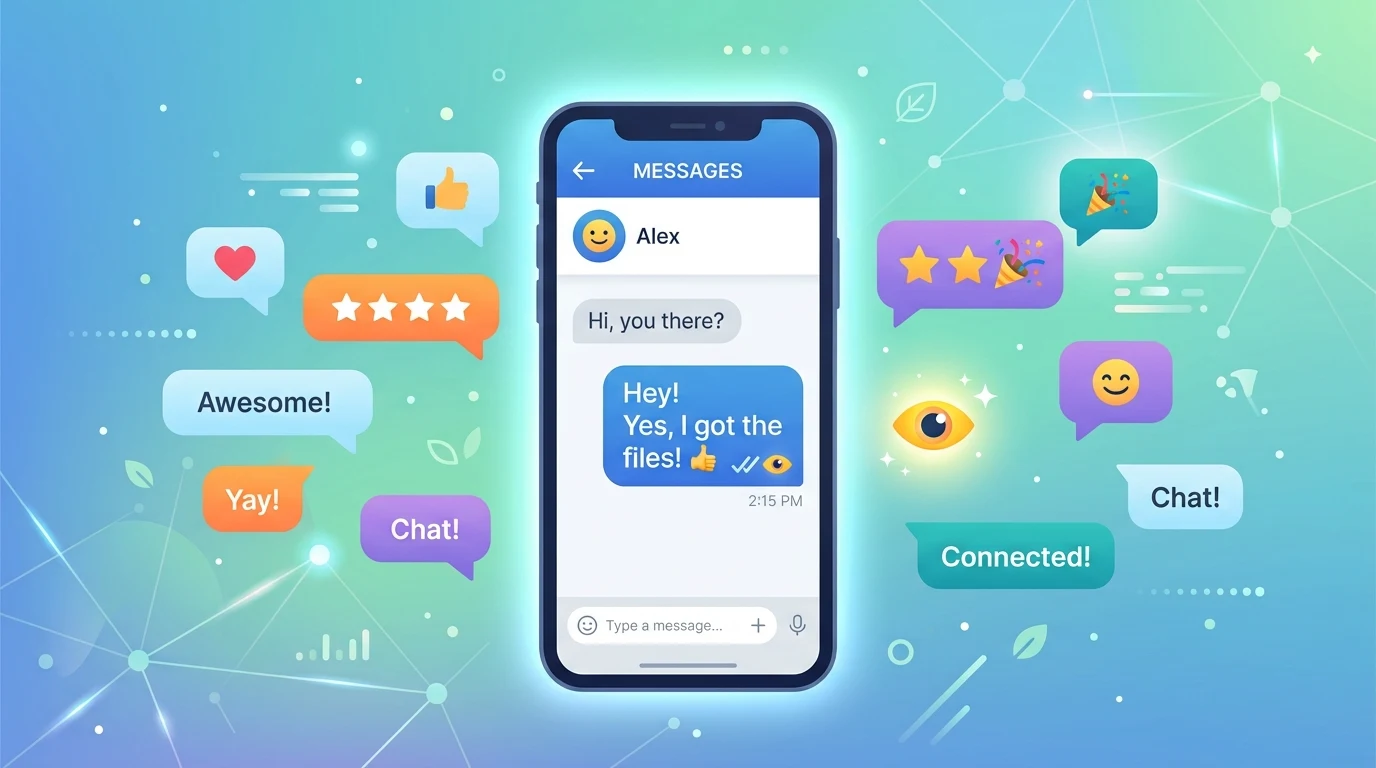
Ever seen the word “Read” under your message and felt your stomach drop? The send read receipts meaning is simple. It is a setting that lets other people know you opened and read their message. When it is on, they see proof. When it is off, they see nothing.
Many people search for this because the setting can cause real confusion. Did they see it? Are they ignoring me? Did I turn something off by mistake? Those questions matter, especially in friendships, family chats, and work.
In this guide, you will learn what the setting really does, how it works on different apps, how to turn it on or off, and when each choice makes sense. You will also see common mistakes, real examples, and clear answers to popular questions.
Send Read Receipts Meaning in Plain English
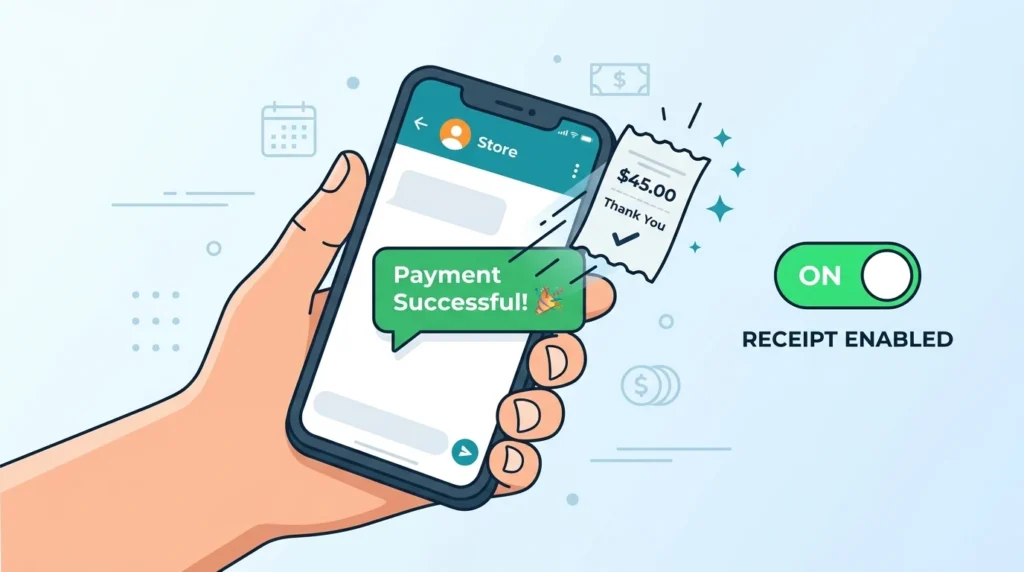
Let’s break the phrase into two parts. A “receipt” is a small proof, like the paper you get at a store. “Read” means you looked at the message. So a red receipt is a tiny signal that says, “This person has opened your message.”
The word “send” is what makes the setting tricky. When you see “Send Read Receipts” in your phone settings, it is about what your phone sends to other people. It is not about what you see. If the switch is on, your phone sends a signal to the sender each time you read their message. If the switch is off, your phone stays quiet.
Think of it like a doorbell camera. With the setting on, your friend gets a note that says, “Your message was picked up and opened.” With it off, your friend only knows the message was likely delivered, not if you read it.
Here is one more point that surprises people. The setting only affects what you send out. On some apps, turning it off also stops you from seeing other people’s read receipts. On other apps, you still see theirs. We will cover that in a moment.
How Read Receipts Work Behind the Scenes
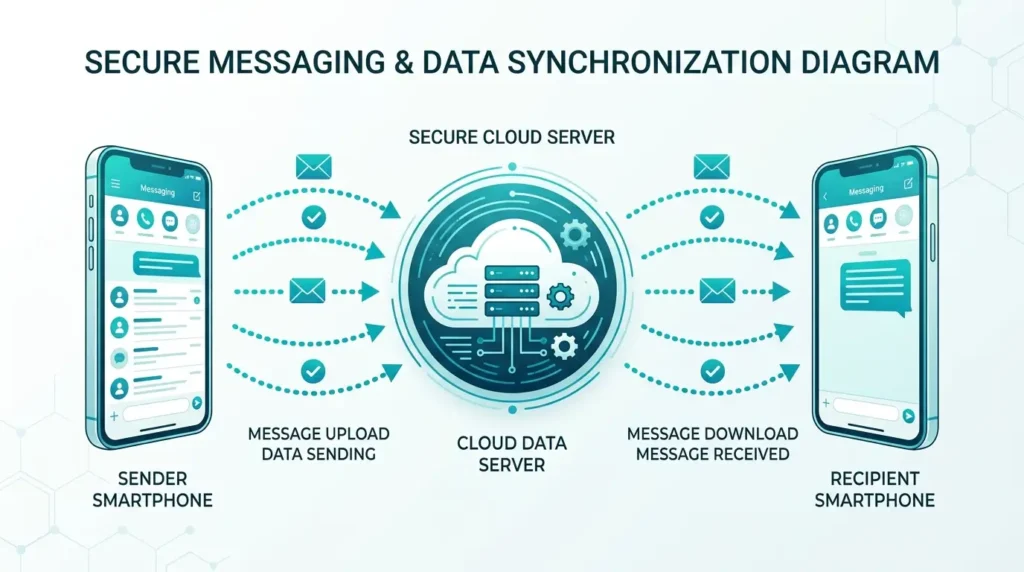
You do not need to be a tech expert to understand this. When someone sends you a message, the app passes it through the company’s servers to your phone. Your phone then tells the server, “Got it.” That is the delivered status.
Later, you open the chat and the message appears on your screen. At that moment, your app can send a second tiny signal back to the server. That signal means, “The message is now on screen.” If your read receipt setting is on, the server passes it to the sender. If it is off, the app skips that step.
Most apps decide “read” by if the message showed on your screen in an open chat. That means a few things can trigger a read receipt even when you did not truly read the message. If the chat is open and the message loads, the app may count it as read. If you tap the chat by accident, it may count too.
Notifications work differently. If you only look at a message preview on your lock screen, most apps do not mark it as read. The message stays unread until you open the chat. This is why some people read messages from the notification banner. It is not a perfect trick, and some apps handle it in slightly different ways, but it works on many of them.
Read Receipts on Popular Apps

Every app treats read receipts a little differently. Some use words like “Read” or “Seen.” Others use check marks. Some let you turn the feature off, and some do not. Here is a quick look at how several popular apps handle it.
| App | What the sender sees | Can you turn it off? |
| iMessage (iPhone) | The word “Read” with a time | Yes, for all chats or one chat |
| Two blue check marks | Yes, but group chats and voice messages can still show reads | |
| Signal | Filled check marks | Yes |
| Google Messages | “Read” under the message | Yes, in chat feature settings |
| “Seen” under the message | Yes, in message settings on supported accounts | |
| Telegram | Two check marks | Limited; some hiding options need Premium |
Apps update their menus often, so the names and steps can change. If you cannot find a setting, look in the privacy or chat section of your app, or check the app’s help page.
One more thing to know is that read receipts only work when both sides use the same kind of chat. On the iPhone, they work in iMessage, which shows blue bubbles. They do not work the same way in old-style text messages, which show green bubbles. On Android, read receipts need chat features, also called RCS, to be active on both phones.
How to Turn Send Read Receipts On or Off
Turning the setting on or off takes about ten seconds. The steps depend on your phone and app.
On an iPhone: Open Settings, tap Messages, and find “Send Read Receipts.” Slide the switch to turn it on or off. This changes it for all your iMessage chats. You can also do it for one person only. Open the chat, tap the person’s name at the top, and switch “Send Read Receipts” on or off just for that conversation. This is handy if you want privacy from most people but not from your partner or your boss.
On an Android phone using Google Messages: Open the app, tap your profile picture, go to Messages settings, and look for Chat features. There you will find “Send read receipts.” Turn it on or off there. Again, this works only when chat features are active.
On WhatsApp: Go to Settings, tap Privacy, and find “Read receipts.” Switch it off, and your blue ticks will stop showing in one-on-one chats. Remember, on WhatsApp, turning it off also means you will not see other people’s read receipts. Group chats are different. WhatsApp says read receipts are always sent in groups, and they are also sent for voice messages.
On Instagram: Open your profile, go to Settings, and look in the messages section for a “Show read receipts” option. Some accounts and regions may have different menus, so check the current version of your app.
If you turn a setting off and the other person still sees you reading their messages, check if you turned off the right setting. Also, make sure the app is updated. Old versions sometimes act strangely.
Sent, Delivered, and Read: What Each Status Means
Many people mix up the message statuses. They look almost the same on screen, but each one tells a different story. Here is a simple chart.
| Status | What it means | Does it prove they read it? |
| Sent | The message left your phone | No |
| Delivered | The message reached their phone | No |
| Read or Seen | They opened the chat and the message showed | Very likely, but not always |
| No status shown | Their receipts may be off, or the app does not support them | Unknown |
The big lesson here is that “Delivered” does not mean “Read.” A message can sit delivered for hours because the person is busy, asleep, or does not have time. It does not always mean they are ignoring you.
The reverse is true, too. “Read” does not always mean the person had time to think about it. They might have peeked at your message, planned to reply later, and then gotten pulled away. Life is busy, and a status label cannot tell you the full story.
Why People Turn Read Receipts Off
There are many good reasons to switch off this setting. None of them means you are rude or hiding something.
The most common reason is pressure. When people know you read their message, they may expect an answer right away. That can feel heavy, especially if you are dealing with a hard day. Turning read receipts off gives you space to reply when you are ready.
Another reason is privacy. Some people simply do not like sharing every little thing they do on their phone. If you read a message at noon or midnight is your business. You do not need to explain it.
Some people also want to avoid awkward talks. Imagine a message from a friend asking you for a big favor. If you read it and do not reply, that friend may feel hurt. With read receipts off, you can take time to think and give a kind, clear answer.
Work is another big reason. Some people have jobs where a quick read could lead to a flood of follow-up questions. Turning off receipts helps them focus on the work in front of them instead of chat pressure.
Finally, some people just find the whole thing stressful. If you spend too much time wondering what “Read at 9:42 PM” means, you may feel better without it.
Why Some People Keep Read Receipts On
The other side is fair, too. Reading receipts can be helpful, and many people like them.
For one thing, they save time and worry. If you send an important message, like “I’m running late,” you want to know it landed. A “Read” label gives you peace of mind without another message.
In close relationships, read receipts can build trust. Couples and close friends often keep them on because they want to stay in sync. Parents also like them when they message their kids about school or plans.
At work, they can help teams move faster. If your manager sends a schedule change and you have read it, a quick read receipt shows the message got through. It cuts down on the “Did you see my message?” follow-ups.
Some people also keep the setting on simply because they have nothing to hide and never think about it. That is perfectly fine. The right choice is the one that helps you feel calm and clear in your chats.
Common Mistakes and Myths About Read Receipts
Reading receipts creates a lot of wrong ideas. Here are the ones that come up most often.
Myth one: “Read” means the person is ignoring me. Not always. People read messages while walking, driving with a passenger, working, or standing in line. They often plan to answer later and forget. A read label shows only that the message was opened, not why there was no reply.
Myth two: If I don’t see “Read,” they haven’t read it. Also not true. The other person may have turned the setting off. They may also use an app or chat type that does not show receipts.
Myth three: Turning it off hides everything. It hides the read label, but other signals may remain. Some apps show when you were last online or if you are typing. Those are separate features with their own settings.
Mistake four: Turning it off in the wrong place. Many people switch off the setting for one app and think it applies to all apps. It does not. iMessage, WhatsApp, Instagram, and others each have their own switch.
Mistake five: Turning it on by accident. After a phone update, settings can sometimes return to their defaults. It is smart to check your privacy settings every few months.
Mistake six: Reading too much into timing. A message read at 3:00 p.m. and answered at 9:00 p.m. is not always a sign of anything. People have jobs, kids, and lives. Try to give others a little grace.
Real-Life Examples of Read Receipts in Action
Examples make this easier to picture, so here are a few everyday scenes.
Maya texts her friend Sara, “Are we still meeting at 5?” Sara has read receipts on. Maya sees “Read” right away and feels relaxed, even though Sara has not replied yet. She knows Sara saw the message and probably will answer soon. The red label calms her down.
Now think about Jordan, who works in customer service. His phone is full of messages all day. Jordan turns off read receipts so he can open messages, take a breath, and answer them without feeling rushed. His friends know he replies when he can. Nobody is upset.
Here is a trickier one. Priya sends her cousin a long, emotional message. Her cousin, Ravi, reads it but has no idea what to say. With read receipts on, Priya sees “Read” and no reply for two days. She feels hurt. If Ravi had turned them off, Priya would not know if he had seen it. Neither choice is right or wrong, but each changes how the moment feels.
Last, picture a small team using WhatsApp for orders. The owner asks staff to keep read receipts on so she can tell when a message was seen. It works because everyone agreed to it. That is a good reminder that clear expectations matter more than the setting itself.
Read Receipts in Email
Email has its own version of this idea. In some email programs, a sender can ask for a read receipt when they send a message. When the person opens the email, they may see a pop-up asking if they want to send a receipt back.
This is different from a chat app. In email, the choice usually belongs to the reader. You can say yes, no, or ask the program to handle it for you. Outlook and some Google Workspace accounts offer these options, but the steps and rules differ between companies. Many free email accounts do not offer them at all.
Because of this, an email read receipt is not proof that someone read your message. If none arrives, the person may have declined it, or their program may not support it. Do not treat it like a sure sign.
Tips for Using Read Receipts Wisely
You do not have to be a slave to this setting. A few smart habits can make chats smoother and less stressful.
First, choose one setting that fits your life and stick with it. If you are always worried about replying fast, try turning it off for a week and see how you feel. If you feel lonely or unsure without it, switch it back on.
Second, use per-chat settings when your app allows them. On an iPhone, for example, you can keep receipts on for your partner and off for everyone else. That gives you a good balance.
Third, be clear with people who matter. If you turn receipts off, you can tell close friends, “I read messages when I can, so please call if it’s urgent.” A short note like this saves a lot of hurt feelings.
Fourth, reply with a quick note when you cannot answer fully. Something like “Saw this, will reply tonight” takes five seconds and removes the guessing.
Fifth, do not judge others by their reading status. If someone reads and does not reply, wait a little. Ask kindly if you need an answer. Most people mean no harm.
Finally, remember that your peace matters. No app can decide how fast you must respond. Use the setting as a tool, not a rule.
FAQs
1. What does “send read receipts” mean?
It means your phone tells the sender when you have opened and read their message. If the setting is off, your phone does not send that signal.
2. If I turn off read receipts, can people still see when I read messages?
On most apps, no. They will not see a “Read” label from you. Some apps still send receipts in certain cases, such as group chats or voice messages on WhatsApp, so check your app’s rules.
3. Can I see other people’s read receipts if mine are off?
It depends on the app. On WhatsApp and some other apps, turning yours off also hides theirs from you. On iMessage, you can still see theirs.
4. Does “Delivered” mean the person read my message?
No. Delivered only means the message reached their phone. They may not have opened it yet.
5. Can I read a message without sending a receipt?
Turning the setting off is the safest way. Some people also read the preview in a notification, which often does not mark the message as read. This does not work the same way on every app.
6. Are read receipts the same as “last seen” or “online” status?
No. Read receipts show that a message was opened. “Last seen” and “online” show when you use the app. They are separate settings, and each one may need to be changed on its own.
Conclusion
The send read receipts meaning comes down to one idea: it is the setting that lets other people know you read their message. Turn it on, and they get a “Read” label or blue checks. Turn it off, and your reading stays private.
Neither choice is better for everyone. If you like clear communication and peace of mind, keeping it on can help. If you value space and privacy, turning it off is a healthy choice. Many people mix both by using per-chat settings.
The best advice is to stay kind and stay clear. Do not read too much into other people’s status labels, and do not feel guilty about your own settings. If a message really matters, a short reply, a quick call, or a simple “I’ll get back to you” can say more than any read label ever will.